


 August 2026 Newsletter
New Web User Interface Is on the Way!
See What’s Next: A Sneak Peek at MobiWork’s New Web InterfaceA fresh new MobiWork web experience is coming in early fall! The new web User Interface will feature a modern, refreshed look along with enhanced capabilities like global search, free-text search, and improved saved searches to make navigating MobiWork easier and more efficient:
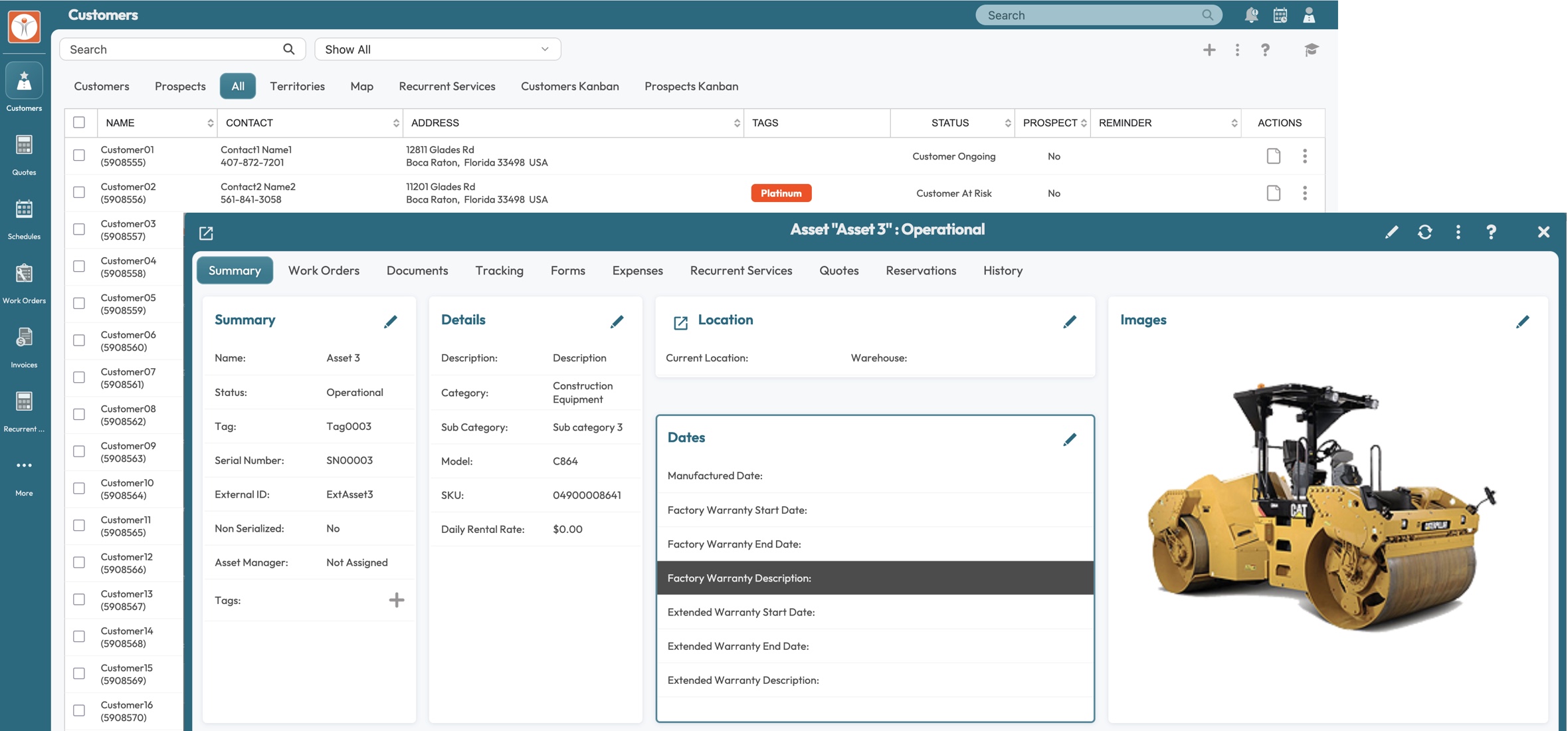
The new interface will first be available to Early Access Program subscribers, followed by a gradual rollout to all MobiWork customers. Stay tuned—an enhanced MobiWork experience is just around the corner!
The Survey Results Are In!
Take a look at the impactful quotes from our recent customer survey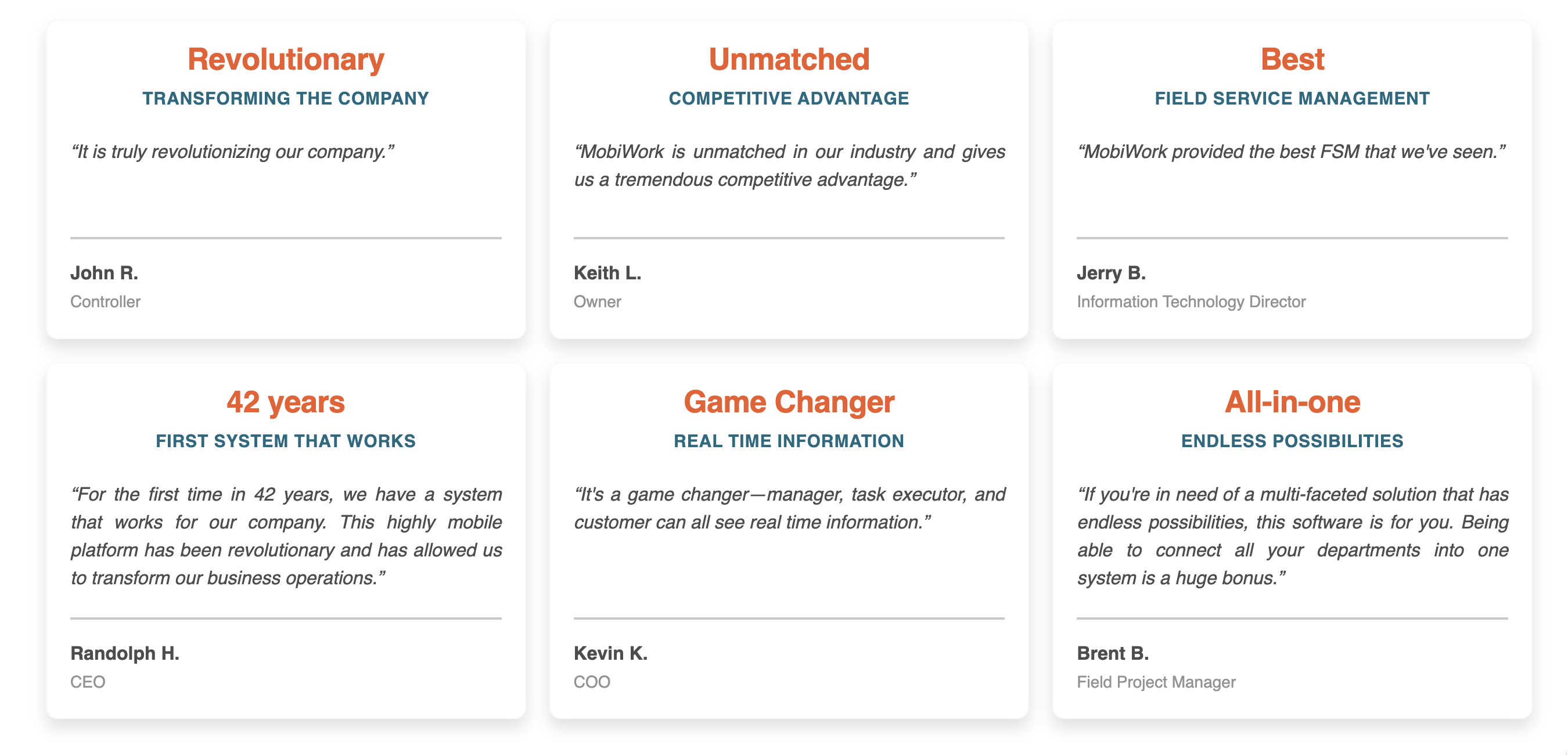
At MobiWork, customer feedback is at the heart of everything we do. We take great pride in helping businesses overcome their unique challenges, improve their day-to-day operations, and achieve their long-term goals. A special thank you to those who participated in our survey and if you would like to share your thoughts, please take our brief survey.
New Mobile App User Interface Coming in September
A refreshed, modern look with the same easy-to-learn, easy-to-use experience for all usersHere’s a sneak peek at the next evolution of the MobiWork Mobile App! We’ve refreshed the user interface (UI) with a cleaner, more modern look while preserving the intuitive experience, guided workflows, automation, and advanced features our customers depend on every day:

The new UI is targeted for General Availability (GA) on September 8, 2026, pending final QA sign-off. Customers using MDM solutions to deploy the mobile app on their own terms can opt into a separate add-on for this purpose; however, all customers will be required to migrate to the new UI shortly after GA.
Stay on Top of Every Job
Maintain control with real-time Work In Progress visibilityGain complete visibility into every job or project from quote to completion. MobiWork’s Work in Progress capabilities help you track what has been quoted, scheduled, completed, invoiced, and collected—all in one place. Monitor project progress and billing as work unfolds, giving your team an accurate picture of where every project stands. Compare estimated versus actual performance, identify potential overruns early, understand remaining work and revenue opportunities, and keep projects moving toward profitable completion:
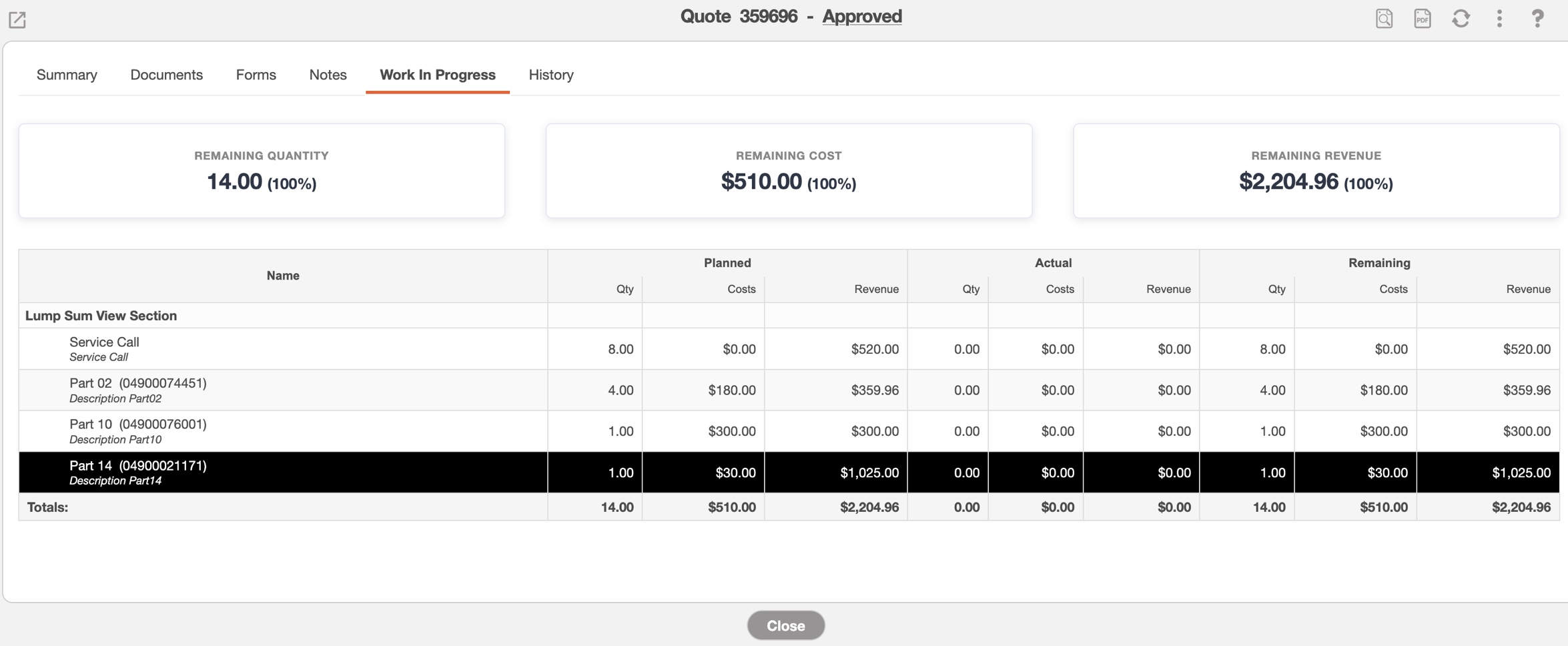
With real-time operational and financial insights, MobiWork helps you stay ahead of delays, protect margins, improve cash flow, and make better decisions throughout the entire project lifecycle.
MobiWork Momentum: The Latest Updates
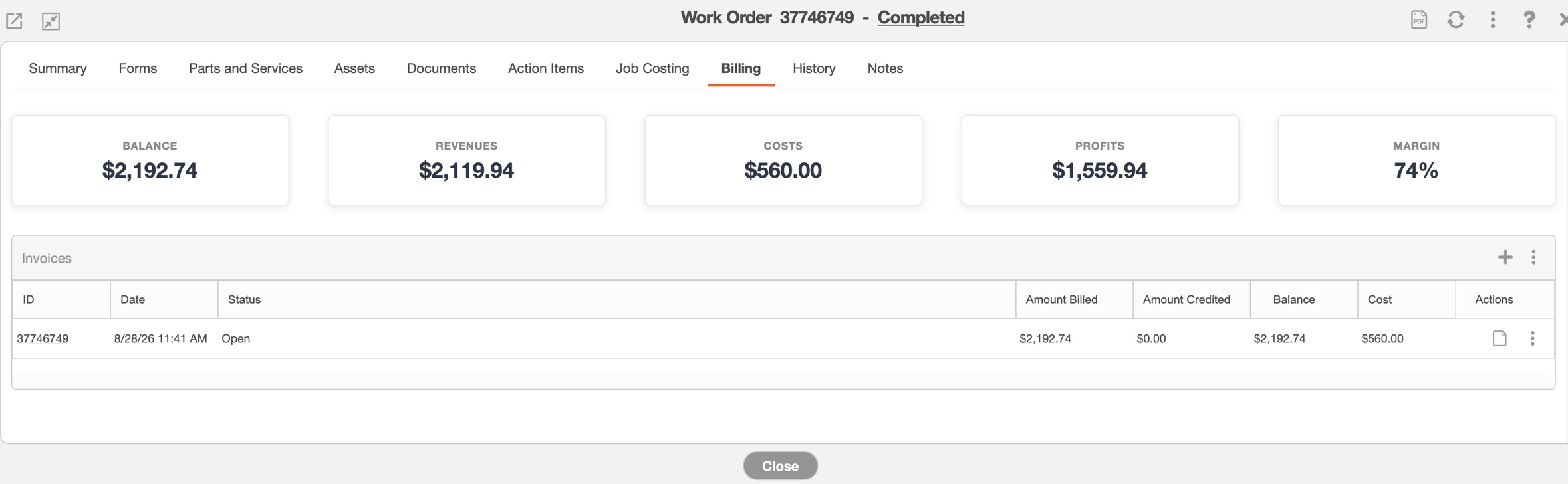
Exciting new mobile-first and cloud-based features that keep your field service team movingUpdated work order view "Billing" tab:
The updated "Billing" Tab allows you to view your work order’s financial information in a clear way. You can quickly view the Balance, Revenue, Costs, Profit, and Profit Margin associated with each work order—all in one convenient place. Easily access and manage related invoices, create new invoices, and record payments without disrupting your workflow. With essential billing and financial information at your fingertips, MobiWork makes it simple to stay on top of billing activity and gain greater visibility into the financial performance of every work order:
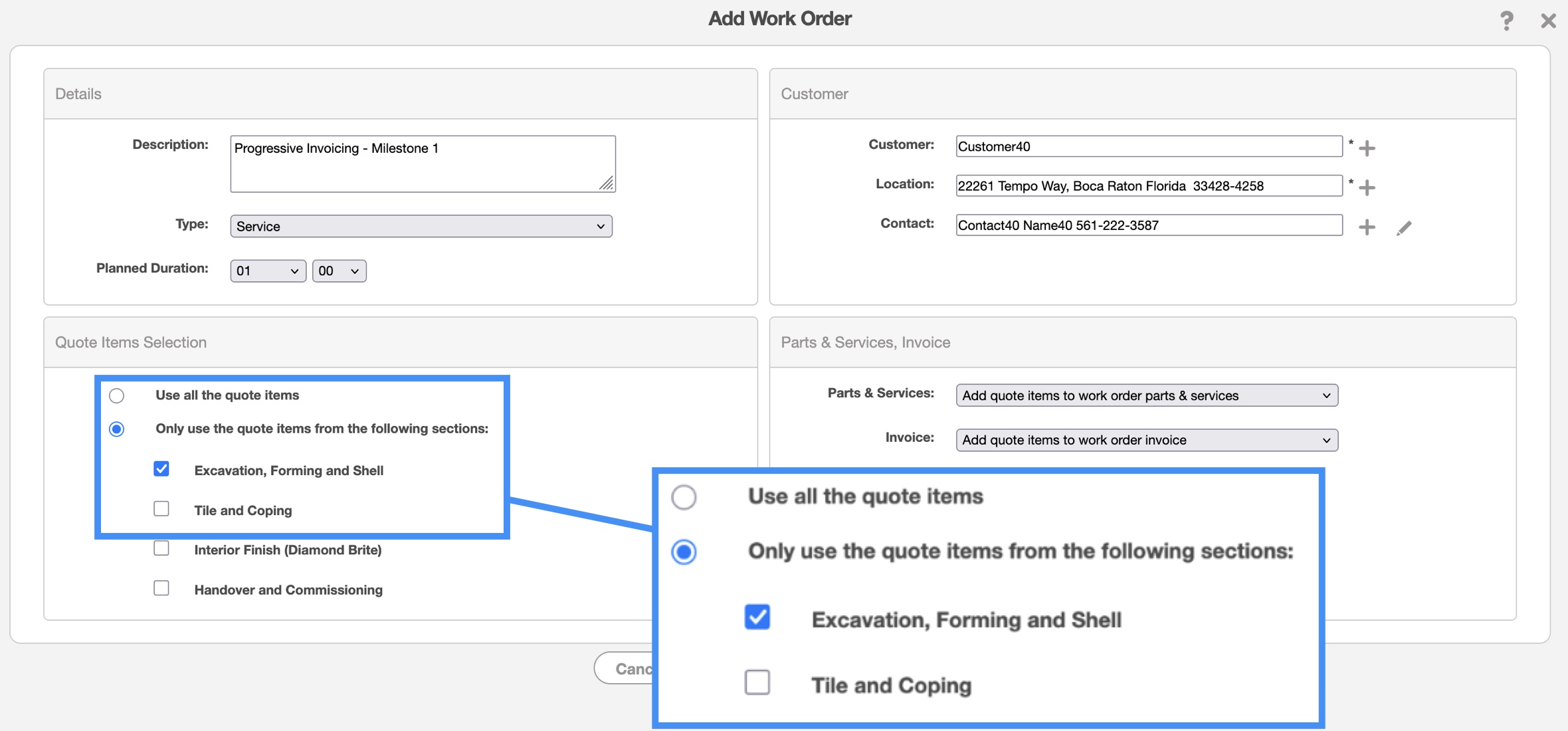
Progressive Invoicing:
With MobiWork’s Progressive Invoicing, you don’t have to wait until a project is complete to start billing. Create work orders / projects / invoices directly from an existing quote and choose exactly which sections to invoice at each stage of the project. Each invoice remains linked to the original quote, giving you greater flexibility over your billing process while making it easier to track progress, manage payments, and maintain a clear financial record from start to finish:
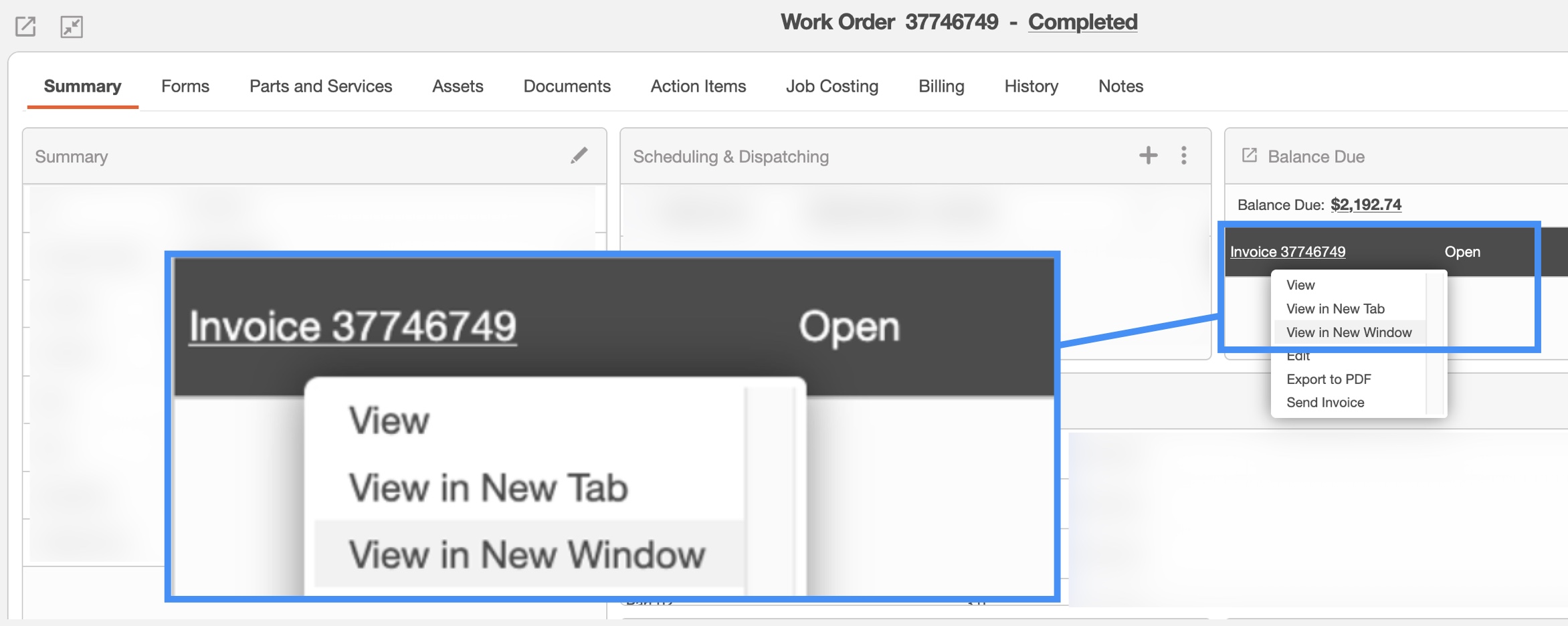
Entity view in a new tab or in a new window:
MobiWork allows you to open an entity (e.g. customer, work order, invoice, quote...) in a separate browser window or in a separate browser tab directly from another entity view (e.g. to view an invoice from a work order view). This functionality makes it easy to work with multiple entities simultaneously without losing your place in the current list or workflow:
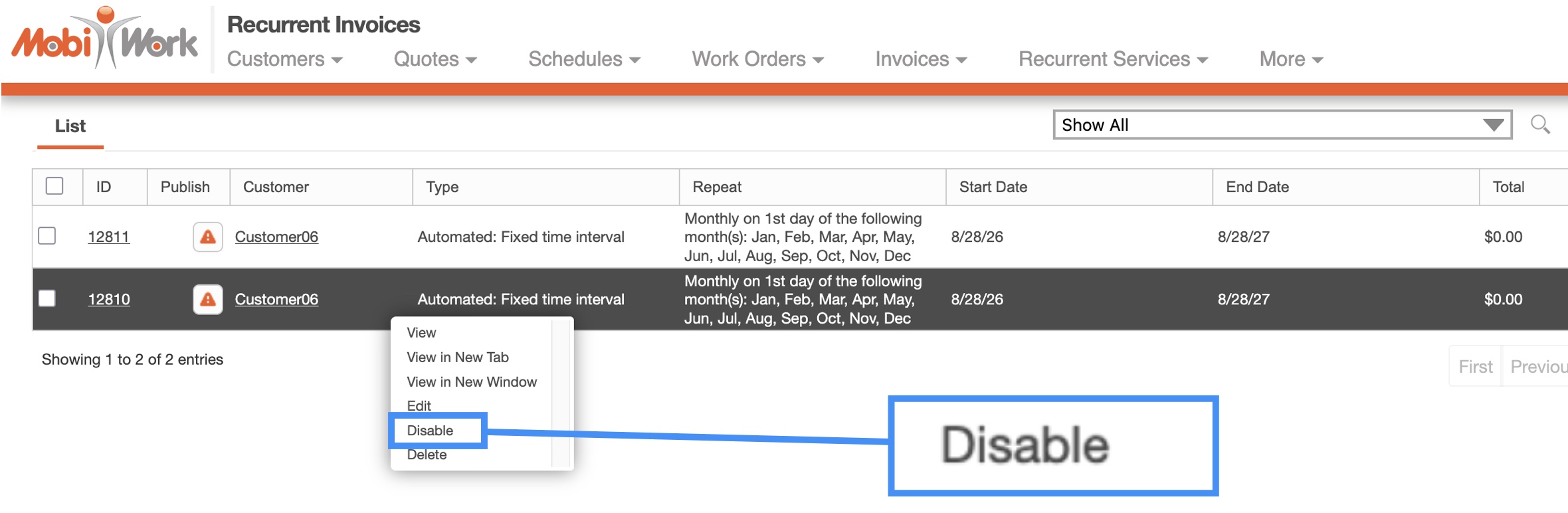
Recurrent invoices: new Enable / Disable action:
This new action makes it easy to temporarily disable a recurrent invoice (as opposed to deleting it and having to recreate it at a later time):
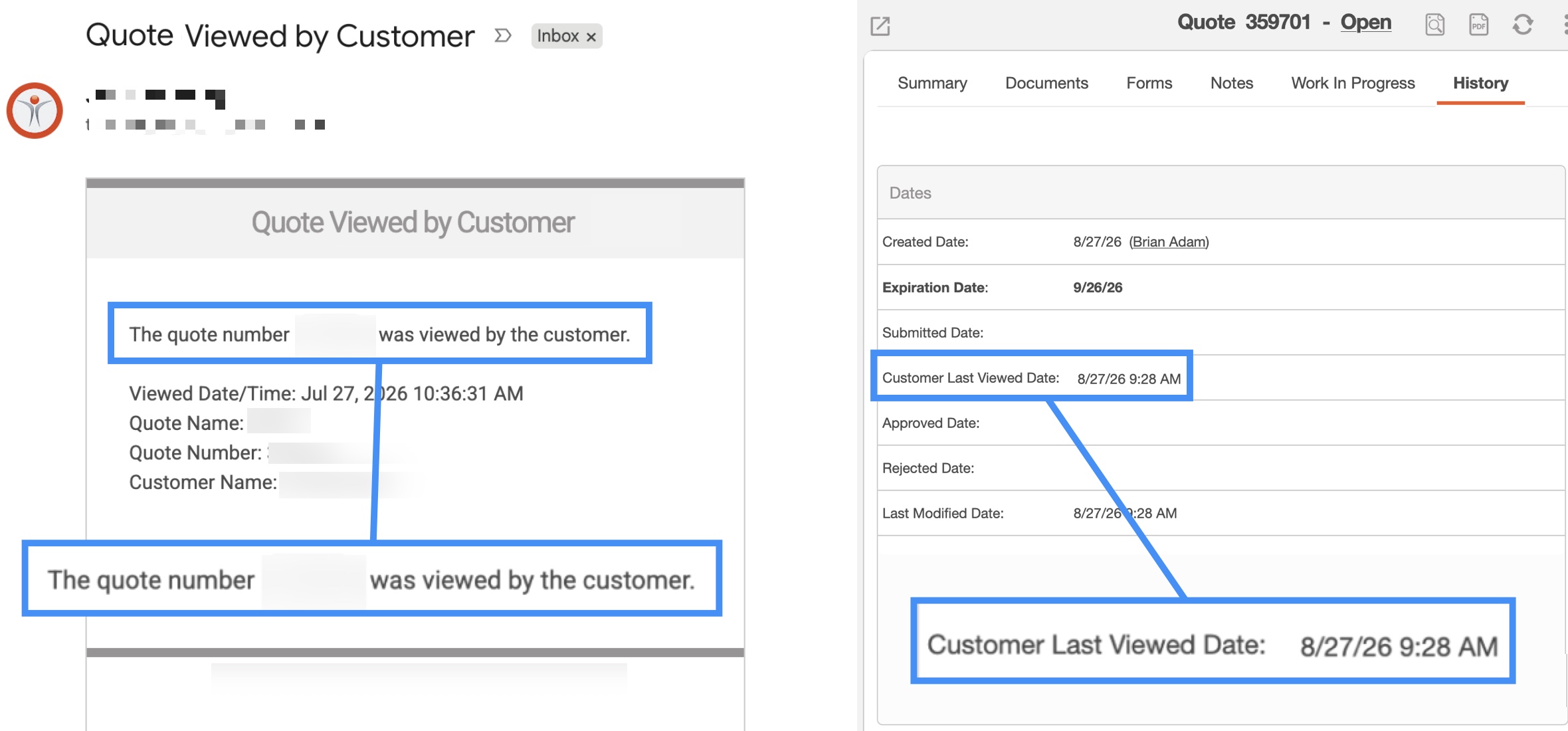
Quote viewed by customer notifications and history:
Have you ever wondered if your customers are actively looking at the quotes you send? This feature offers a new capability that informs you when your customer has viewed your quote once you have shared it (and is automatically added to your quote history). Say goodbye to the guesswork and constant follow ups!
Automated Clearing House (ACH) payment processing:
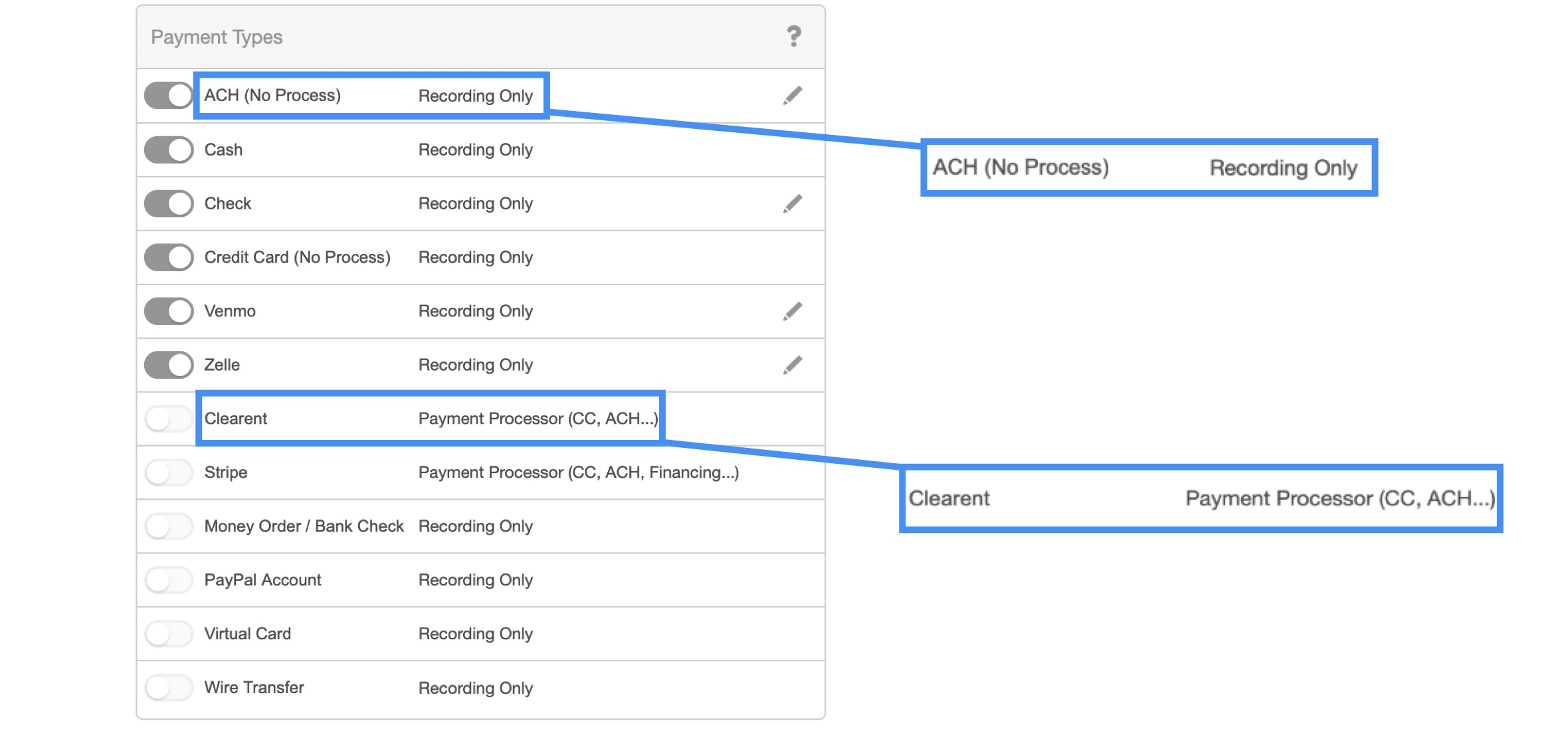
Our Clearent / XPlor payment processor connector has been expanded to capture ACH payments and an additional ACH (recording only) payment type has also been added to capture that a payment was made via ACH but not through a MobiWork connected payment processor:
Catalog price vs customer price:
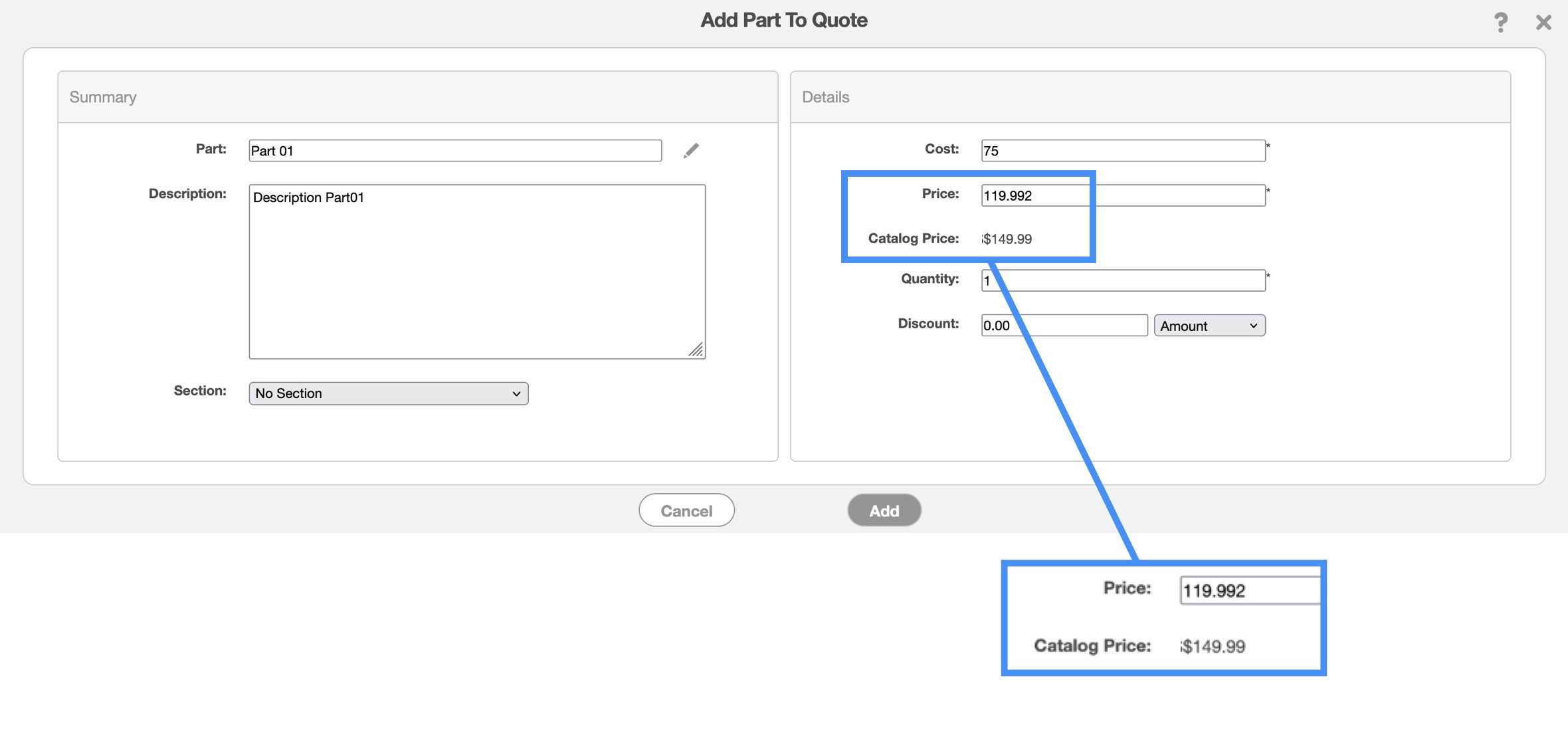
With the MobiWork price list feature, customers and prospects can have tailored pricing (either a discount or a markup from the catalog price), this new feature allows you to visualize that a customer has a specific pricing in place and what the default catalog price is:
Updated customer view "Time Tracking" tab:
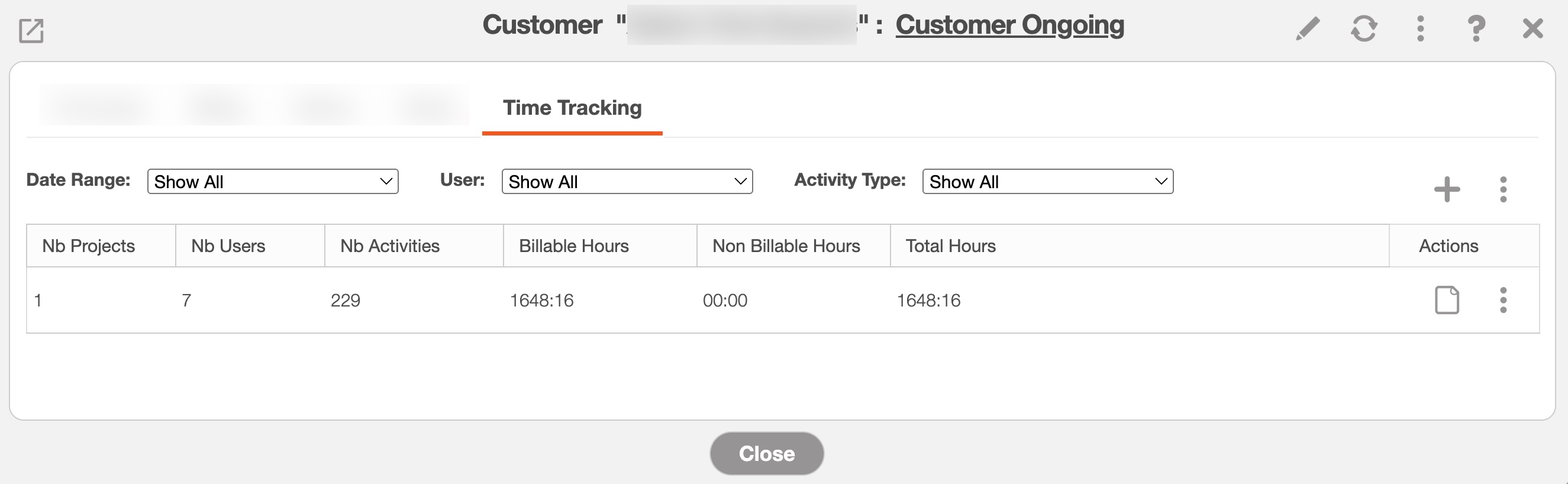
The "Time Tracking" tab of the customer view has been updated to provide a set of filters (date range, user and activity type) and to display an overall summary of the corresponding time tracking activities captured (clicking on the View action lists all the corresponding time tracking activities):
New time tracking saved search sorting parameter:
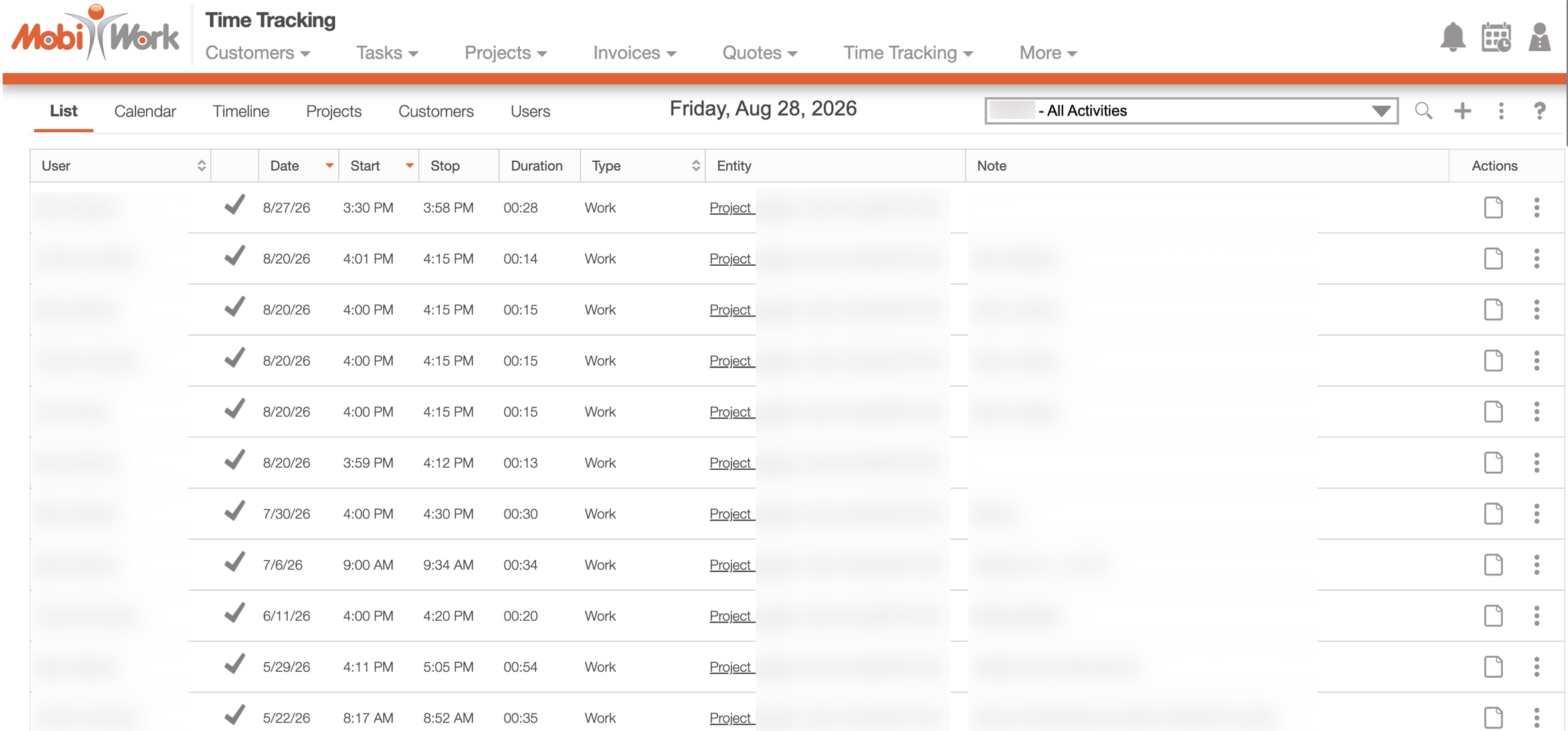
This new parameter makes it easy to display all the time tracking activities sorted by chronological or reverse chronological order. It can also be combined with additional sorting parameters such as user name, activity type or activity creation date:
Gain Real-Time Visibility
Learn how visibility can make the true difference for your business
Successful field service organizations rely on timely information to keep operations running smoothly. Without real-time visibility, managers are left chasing updates, dispatchers struggle to respond to changing conditions, and customers experience unnecessary delays. MobiWork gives your office and field teams instant access to the information they need, enabling faster communication, smarter decision-making, and greater operational efficiency from start to finish.

© 2010–2026 MobiWork LLC. All rights reserved.